ith-view-home介绍
吴少文 2022/8/4 vue
# 介绍
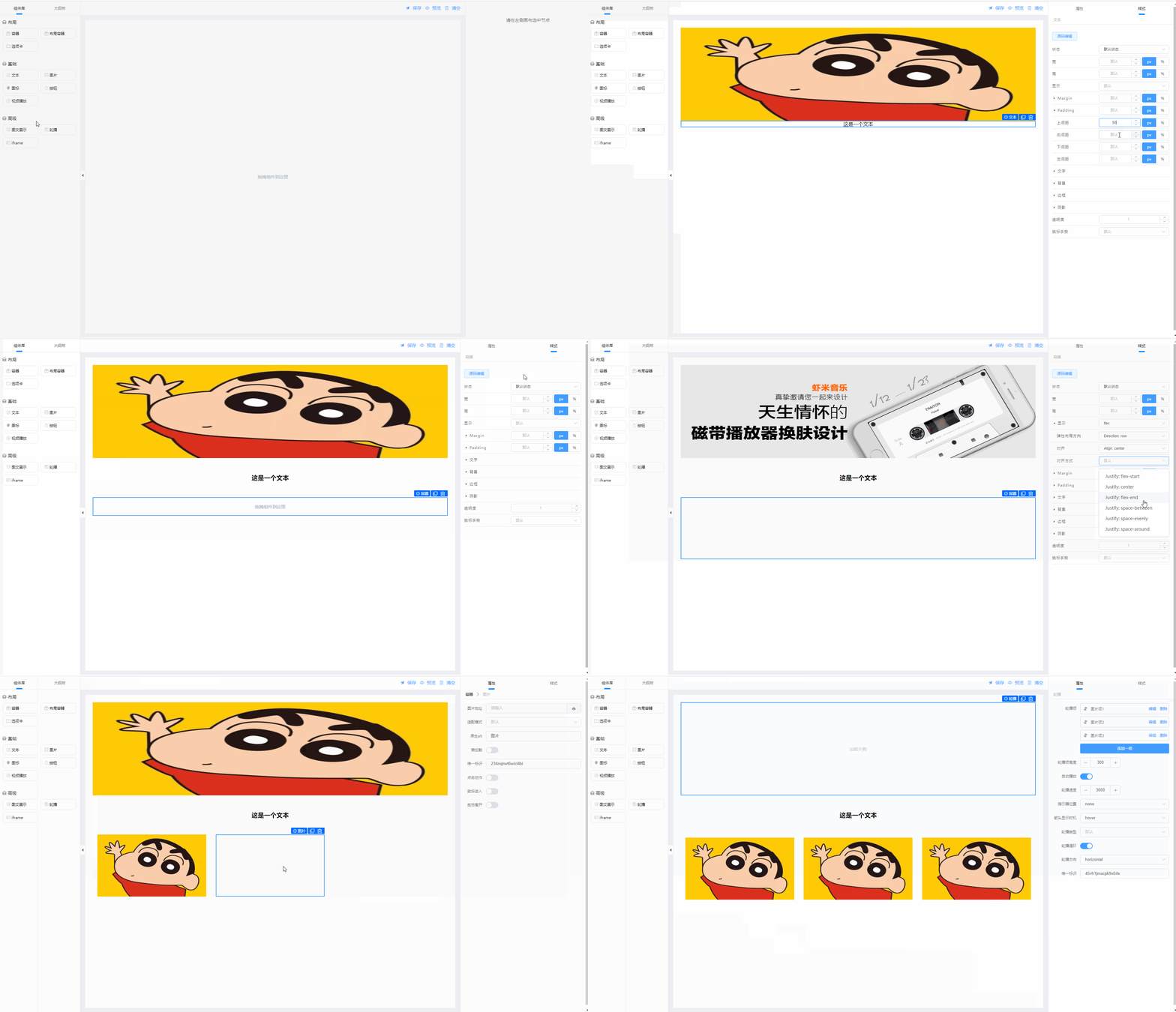
ith-view-home 是一款页面低代码开发设计器,让开发者更加灵活的自定义页面,满足不同场景下的业务需求
# 依赖
- element-ui
# 使用注意
- ThHomeEditor组件需要放入有一个明确了宽高的容器中(宽度默认为100%,高度可使用calc计算)
# 效果演示
# 安装
// 安装
npm install ith-view-home
yarn add ith-view-home
# 组件内引入
<script>
import 'ith-view-home/lib/ith-view-home.css'
import IthHome from 'ith-view-home'

export default {
  components: {
   ThHomeEditor: IthHome.ThHomeEditor,
   ThHomeEditorRead: IthHome.ThHomeEditorRead
  }
}
</script>
# ThHomeEditor 使用示例
<template>
    <div style="height: calc(100vh - 96px);width: 100%;">
<!--      <th-home-editor :data="editorStr" :token="token" @save="onSave" />-->
      <th-home-editor :data="editorStr" @save="onSave" />
    </div>
</template>

<script>
import 'ith-view-home/lib/ith-view-home.css'
import IthHome from 'ith-view-home'
import { getToken } from '@/utils/auth'
IthHome.config.setToken(getToken())

export default {
  components: {
    ThHomeEditor: IthHome.ThHomeEditor
  },
  data () {
    return {
      editorStr: ''
    }
  },
  // computed: {
  //   token () {
  //     return getToken()
  //   }
  // },
  methods: {
    onSave(str) {
      // str为需要保存的json字符串
    }
  }
}
</script>
# ThHomeEditor Attributes
| 参数 | 说明 | 类型 | 默认值 | 可选值 | 必填 |
|---|---|---|---|---|---|
| data | 对应的json字符串数据 | string | -- | -- | -- |
| token | 用于上传等,也可使用IthHome.config.setToken('token') | string | 100 | -- | -- |
| show-btn-back | 是否显示返回按钮 | boolean | false | -- | -- |
| show-btn-back | 是否显示返回按钮 | boolean | false | -- | -- |
| template-data | 模板数据 | array | [] | -- | -- |
# ThHomeEditor 事件
| 事件名 | 说明 | 返回值 |
|---|---|---|
| save | 点击保存时触发 | -- |
| templateSelect | 点击另存模板时触发 | 模版数据 |
| back | 点击返回时触发 | -- |
# ThHomeEditorRead 使用示例
<template>
    <div style="height: calc(100vh - 96px);width: 100%;">
      <th-home-editor-read
          :page-data="pageData"
          @mounted="onMounted"
          @click="onClick"
          @mouseover="onMouseover"
          @mouseout="onMouseout"
      />
    </div>
</template>

<script>
import 'ith-view-home/lib/ith-view-home.css'
import IthHome from 'ith-view-home'

export default {
  components: {
    ThHomeEditorRead: IthHome.ThHomeEditorRead
  },
  data () {
    return {
      pageData: []
    }
  },
  methods: {
    onMounted() {
    },
    onClick(event, params, currentComponentConfig) {
    },
    onMouseover(event, params, currentComponentConfig) {
    },
    onMouseout(event, params, currentComponentConfig) {
    }
  }
}
</script>
# ThHomeEditorRead Attributes
| 参数 | 说明 | 类型 | 默认值 | 可选值 | 必填 |
|---|---|---|---|---|---|
| pageData | 页面数据,没有数据时为空数组 | array | [] | -- | true |
# ThHomeEditorRead 事件
| 事件名 | 说明 | 参数 |
|---|---|---|
| mounted | 渲染器加载完成后回调 | -- |
| click | 点击时触发(配置需开启) | function(event, params, currentComponentConfig), event为当前触发元素, params为当前事件配置的参数, currentComponentConfig为当前组件配置数据 |
| mouseover | 鼠标移入时触发(配置需开启) | function(event, params, currentComponentConfig), event为当前触发元素, params为当前事件配置的参数, currentComponentConfig为当前组件配置数据 |
| mouseout | 鼠标移出时触发(配置需开启) | function(event, params, currentComponentConfig), event为当前触发元素, params为当前事件配置的参数, currentComponentConfig为当前组件配置数据 |