自定义表单自定义增加组件案例
吴少文 2022/6/27 vue
# 添加el-alert组件作为示范
- 进入ith-admin项目,进入src/components/formGenerator/generator/config.js文件,在inputComponents参数中追加
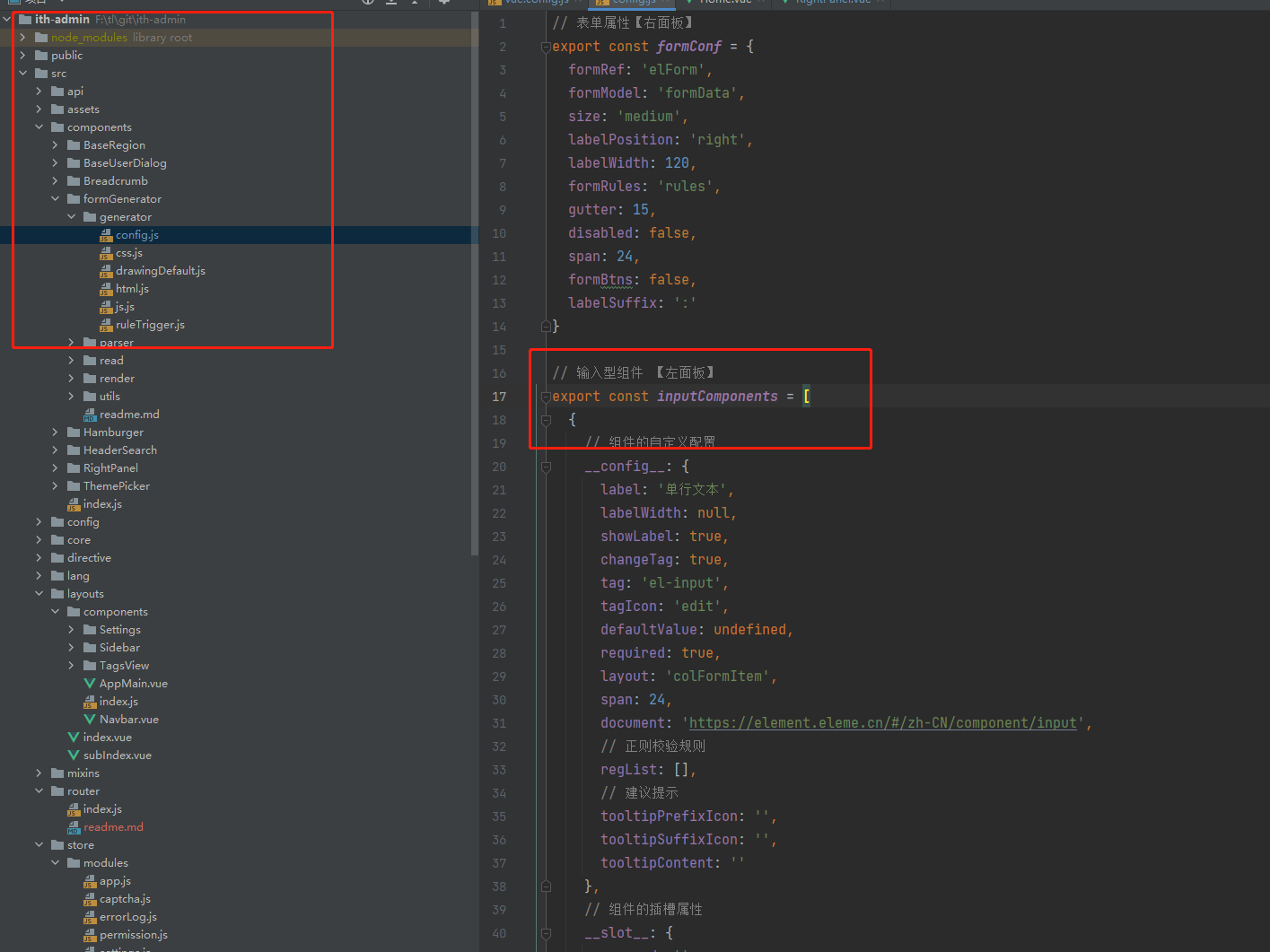
{
    __config__: {
      showLabel: false,
      labelWidth: null,
      span: 24,
      layout: 'colFormItem',
      tag: 'el-alert',
      tagIcon: 'warning-outline',
      label: '警告',
      document: 'https://element.eleme.cn/#/zh-CN/component/alert'
    },
    title: '这是一条提示文案',
    type: 'info',
    effect: 'light',
    description: '',
    closable: true,
    center: true,
    showIcon: true
  }
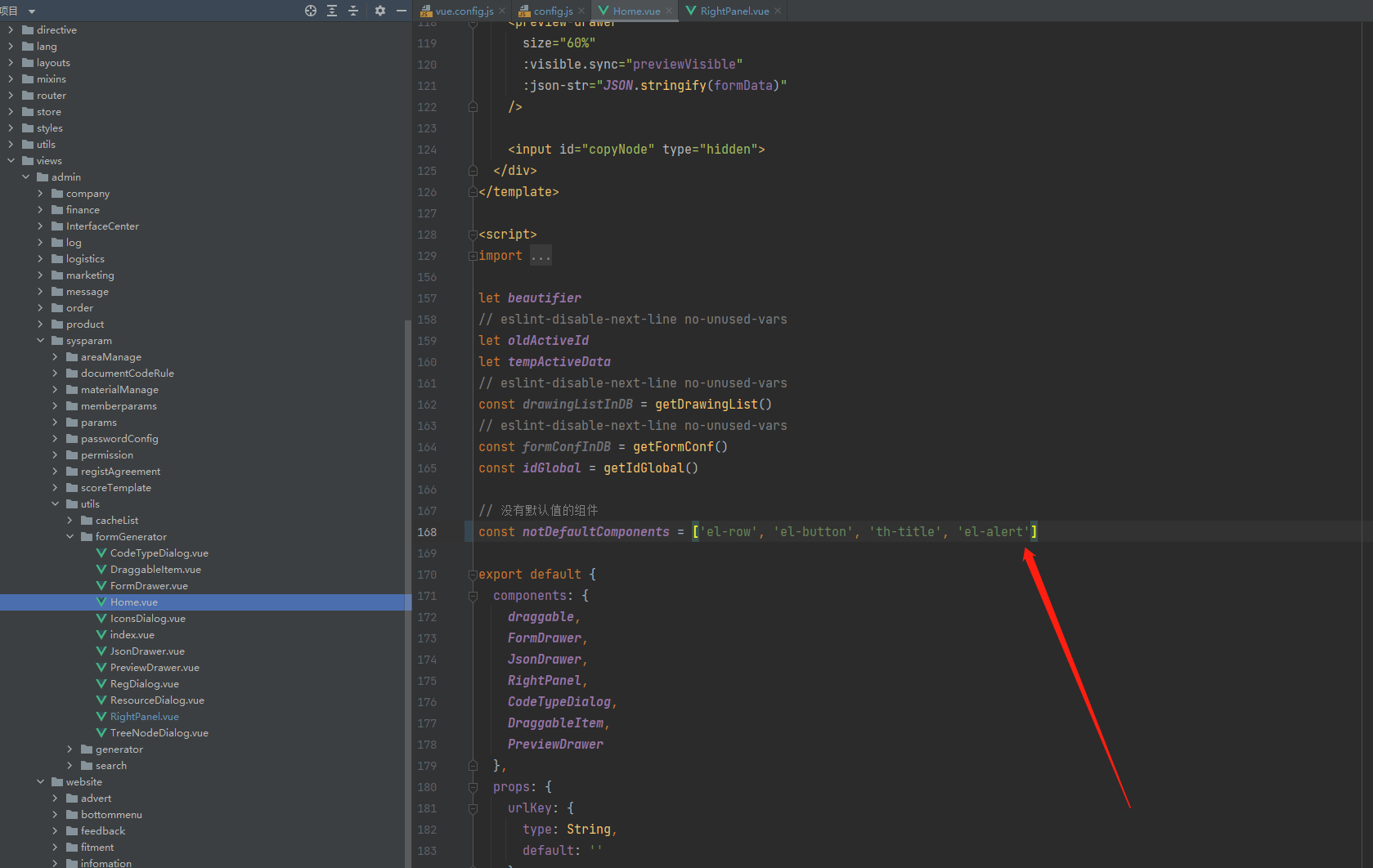
进入src/views/admin/sysparam/utils/formGenerator/Home.vue 给没有默认值的组件变量notDefaultComponents添加这个新加的标签名
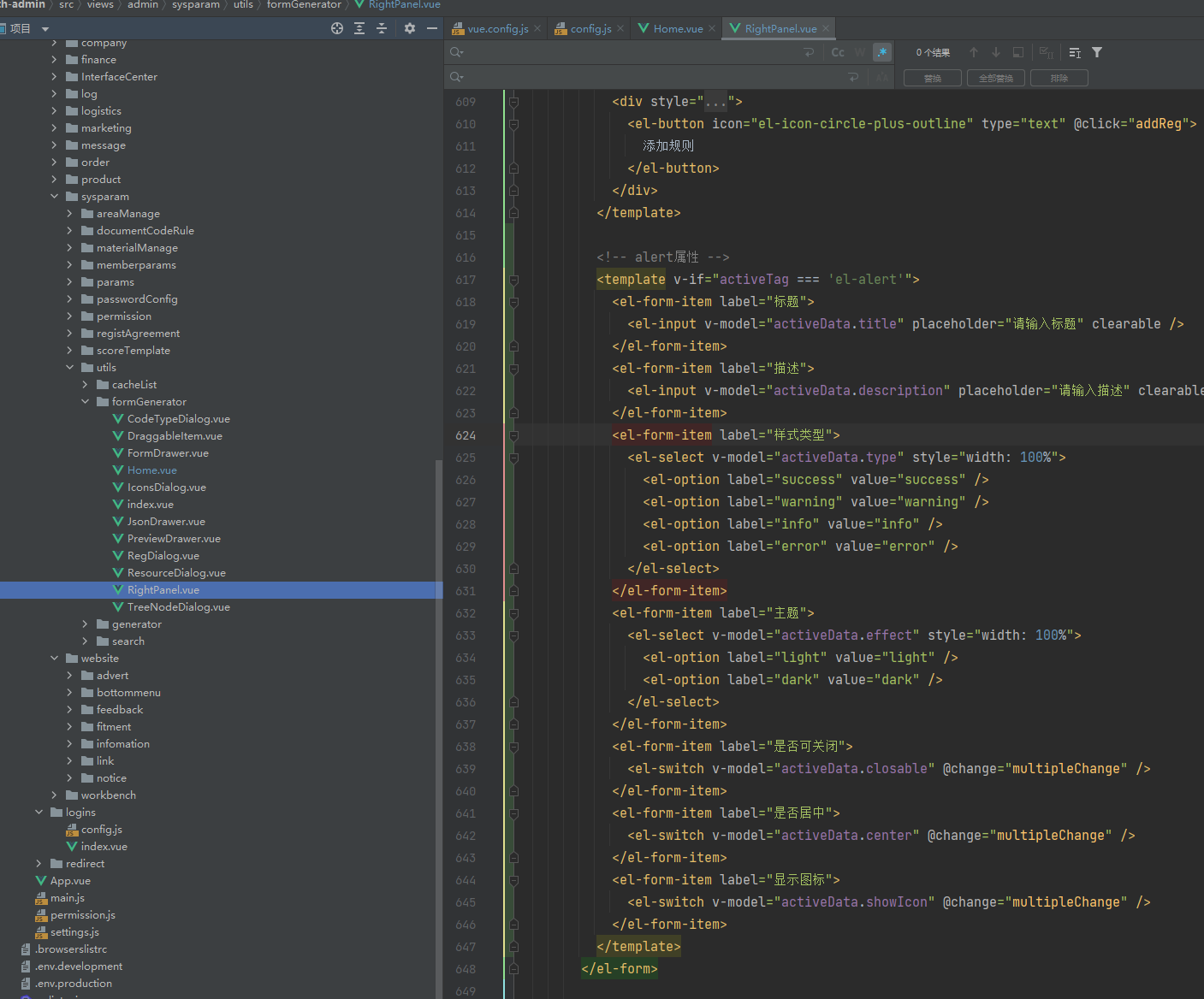
进入src/views/admin/sysparam/utils/formGenerator/RightPanel.vue 增加该组件属性(其他组件已有的属性就不用加了)配置
进入src/components/formGenerator/generator/html.js 增加代码模板属性tags添加对应参数配置
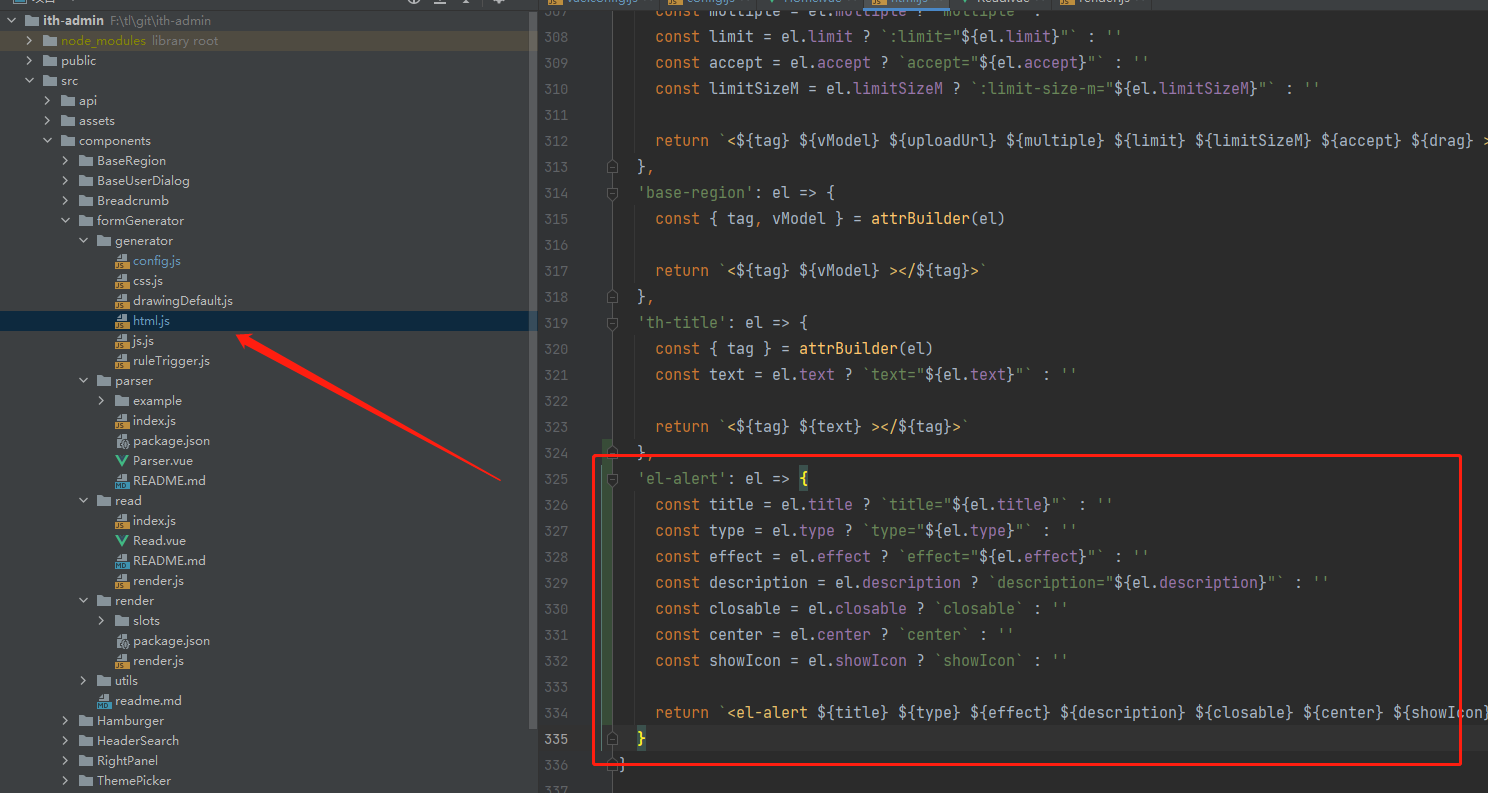
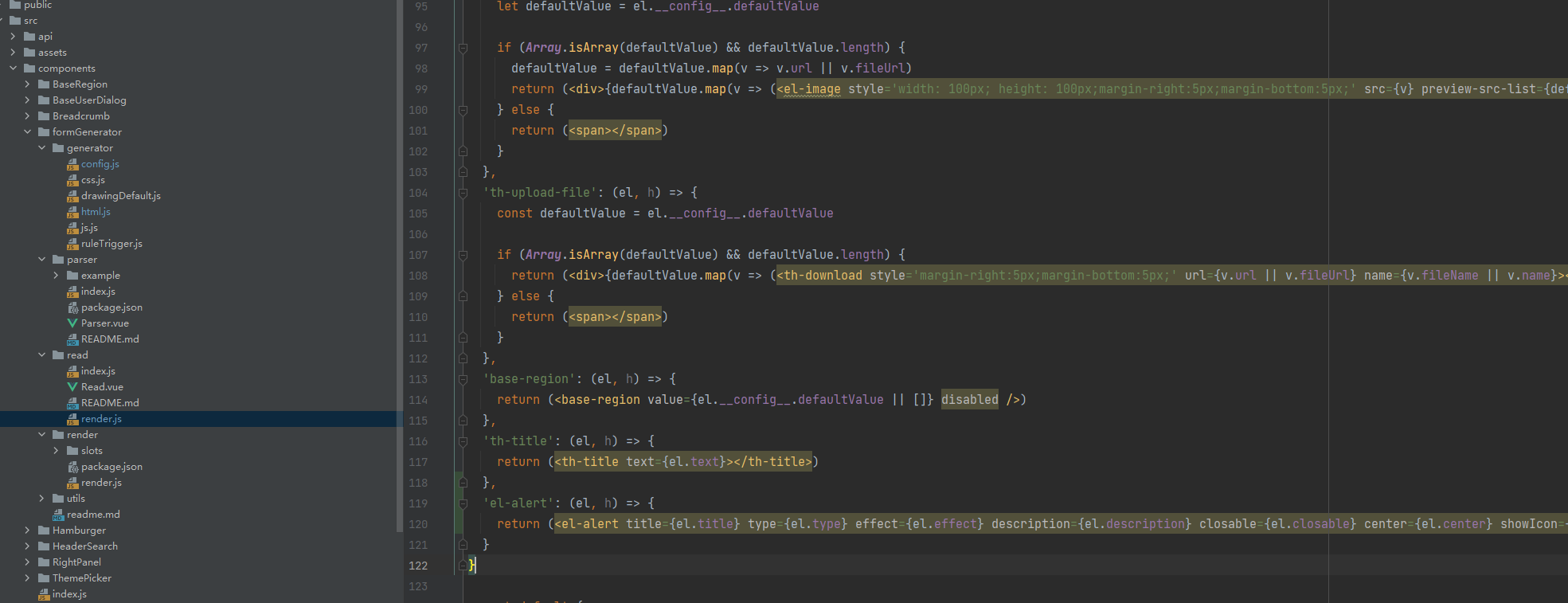
进入src/components/formGenerator/read/render.js 增加解析器属性tags添加对应参数配置