Git 快速迁移
程立彪 2025/6/17 Git
使用 git clone --mirror 可以创建一个完全相同的镜像仓库(包括所有分支、标签和引用),通常用于仓库备份或迁移。以下是详细配置和使用方法:
# 1. 基础设置
首先需要配置ssh秘钥 方便能够快速创建完全相同镜像仓库
# 1. 检查 SSH 密钥是否存在
ls -la ~/.ssh/
- 如果输出中没有
id_rsa.pub、id_ed25519.pub等文件,说明你 没有生成 SSH 密钥。
# 2. 生成新的 SSH 密钥
# (推荐)Ed25519 算法(更安全)
ssh-keygen -t ed25519 -C "your_email@example.com"
- 按回车使用默认路径(
~/.ssh/id_ed25519)。 - 可设置密码(可选)。
# 或使用 RSA 算法(兼容旧系统)
ssh-keygen -t rsa -b 4096 -C "your_email@example.com"
# 3. 检查新生成的密钥
ls ~/.ssh/id_*.pub
现在应该能看到公钥文件(如 id_ed25519.pub 或 id_rsa.pub)。
# 4. 将公钥添加到 Git 平台
# (1) 复制公钥内容
cat ~/.ssh/id_ed25519.pub | pbcopy # 自动复制到剪贴板(Mac)
或手动复制:
cat ~/.ssh/id_ed25519.pub
# (2) 添加到 git平台
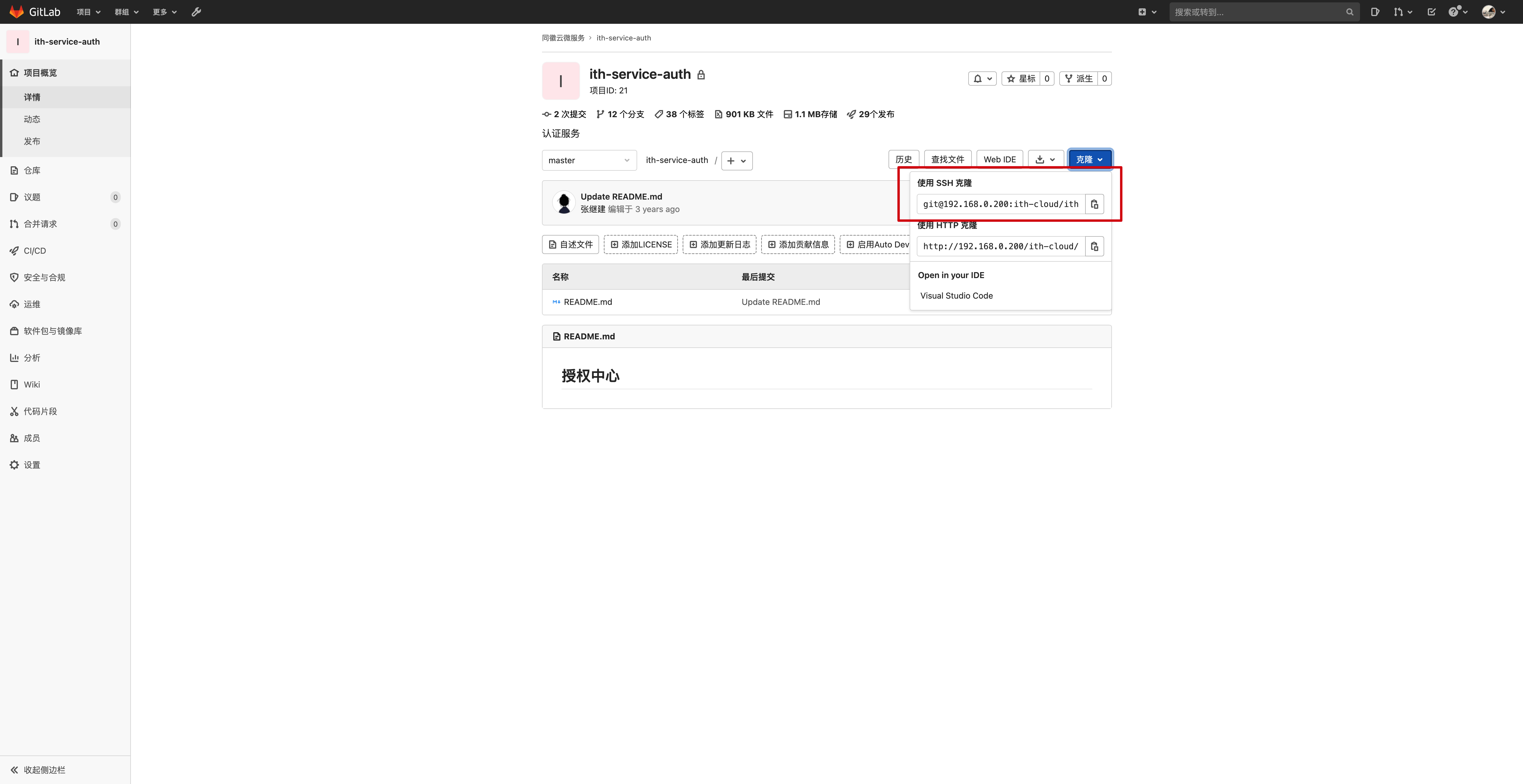
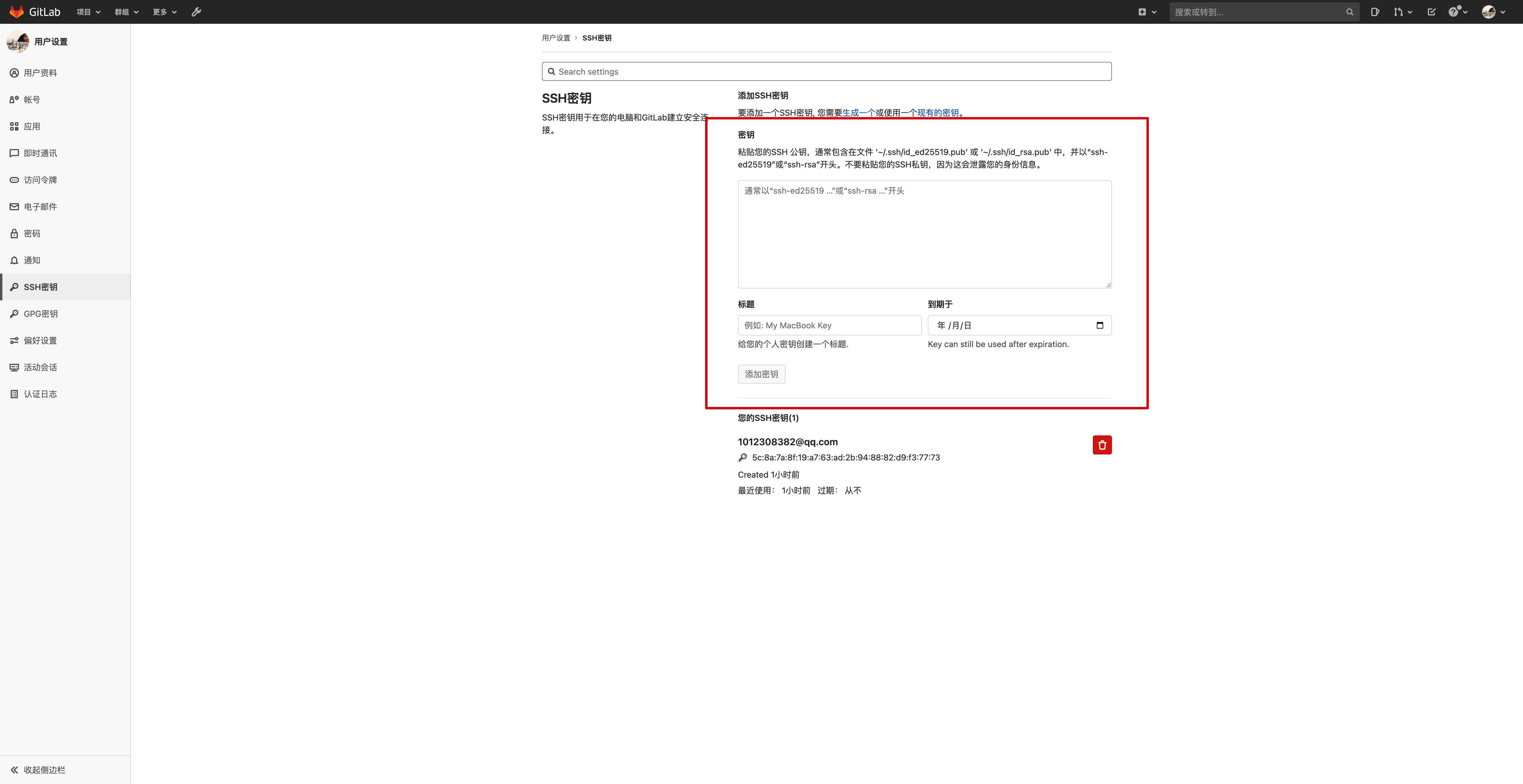
登录 迁移方平台和被迁移方平台配置秘钥 比如从jdcode->code.thsrm.com(公司平台) 两方平台同时配置秘钥信息
进入 个人设置 > SSH 公钥管理。
粘贴公钥并保存。
# 5. 测试 SSH 连接
ssh -T git@code.jdcloud.com
- 成功时会显示欢迎信息(如
Hello, your_username!)。
# 基本用法
git clone --mirror git@code.jdcloud.com:username/repo.git
- 效果:
- 克隆的仓库会保存在
repo.git文件夹中(裸仓库,没有工作区)。 - 包含源仓库的 所有分支、标签、提交历史和引用(如
refs/notes)。 - 适合用于 完整备份 或 服务器迁移。
- 克隆的仓库会保存在
# 1. 镜像仓库 vs 普通克隆
| 特性 | git clone --mirror | git clone |
|---|---|---|
| 仓库类型 | 裸仓库(无工作区) | 普通仓库(有工作区) |
| 包含内容 | 所有分支、标签、引用 | 默认仅克隆 HEAD 指向的分支 |
| 用途 | 备份/迁移/同步 | 日常开发 |
| 推送更新 | git push --mirror 同步所有引用 | 需手动推送分支/标签 |
# 2. 脚本命令
# 从 JDcode 创建镜像
git clone --mirror git@code.jdcloud.com:jcy-product/service-refund.git
cd service-refund.git
# 推送到 指定位置
git push --mirror git@192.168.0.200:jcy-product/service-refund.git